Object snap, right on the sheet
Endpoint, midpoint, center, intersection, perpendicular, nearest. Hold Shift and it locks to horizontal, vertical or 45°. You would normally have to go back to CAD for this.
Beta opens soon, by invitation
Real object snaps and orthographic constraints while you draw, and dynamic tools just like CAD. A stamp editor that doesn't take a programmer to use. Host a session and share it live, through the cloud or your own infrastructure, with minimal SaaS fees for the cloud side, so you keep delivering without the overhead of the dinosaurs of the past.
AI-assisted add-ons, CAD-style layers with def points for mapping, and IFC integration are in the works. A desktop app for Windows, with other platforms to follow; your files stay on your machine.
Use it in your browser No install. Your PDFs stay on your computer; sign in to save. Sent a marked-up PDF? Get the free Reader.
MarkupClaw treats a drawing PDF as something to draft on. Other software treats it as a page to review or a document to edit. This is the one that snaps to your geometry.
Endpoint, midpoint, center, intersection, perpendicular, nearest. Hold Shift and it locks to horizontal, vertical or 45°. You would normally have to go back to CAD for this.
Draw on a user layer and it exports as a real DXF layer and a PDF OCG: not a flattened raster, not a markup layer only one vendor can read. Your redlines arrive as usable geometry.
Stamp a PE seal (engineer, license, state, date) as a real command, not a scanned signature pasted on. Assemble calc sheets, drawings and markups into one package.
What a day on a drawing set looks like in MarkupClaw. Every screen below is the app itself, on a sample framing plan.
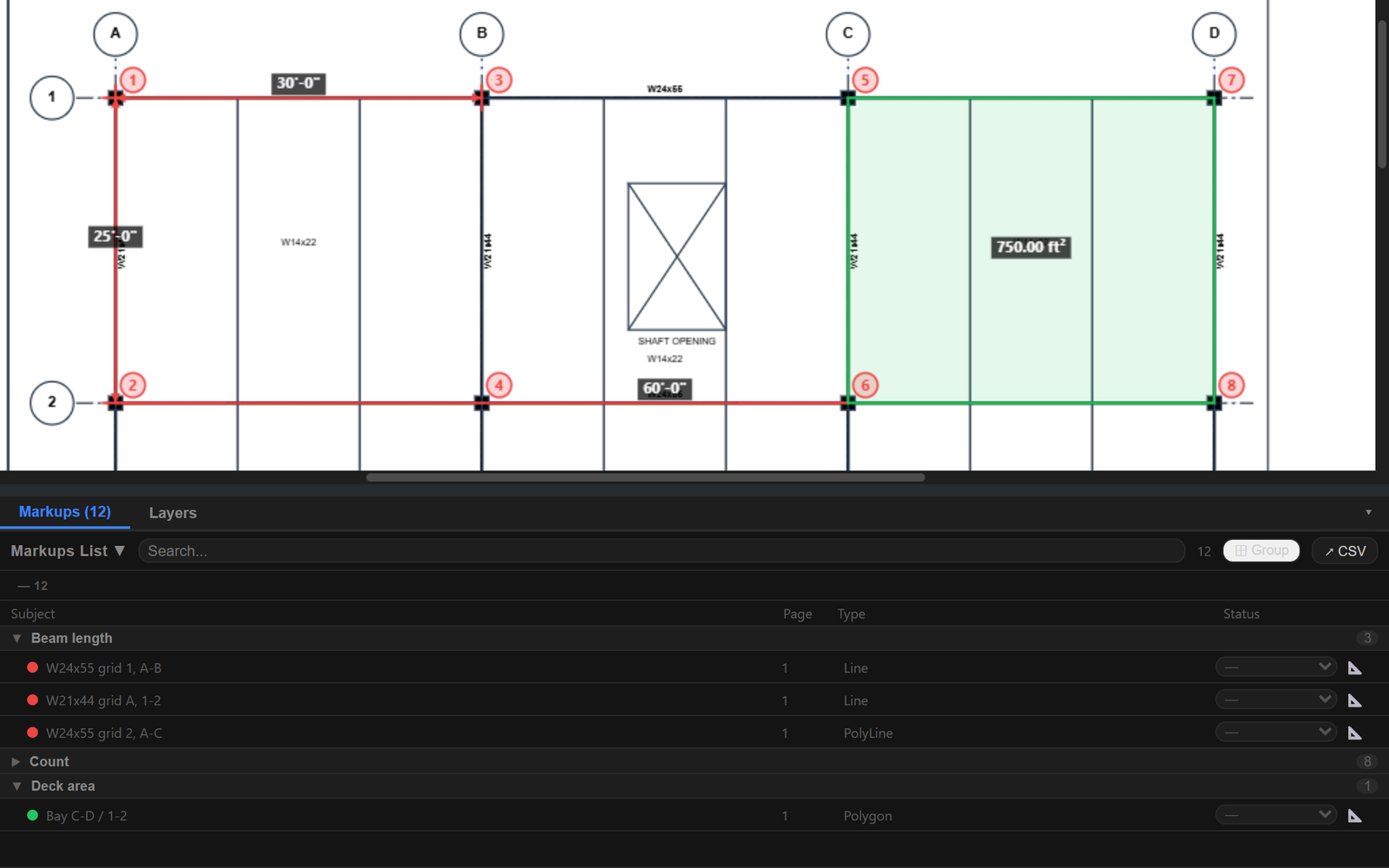
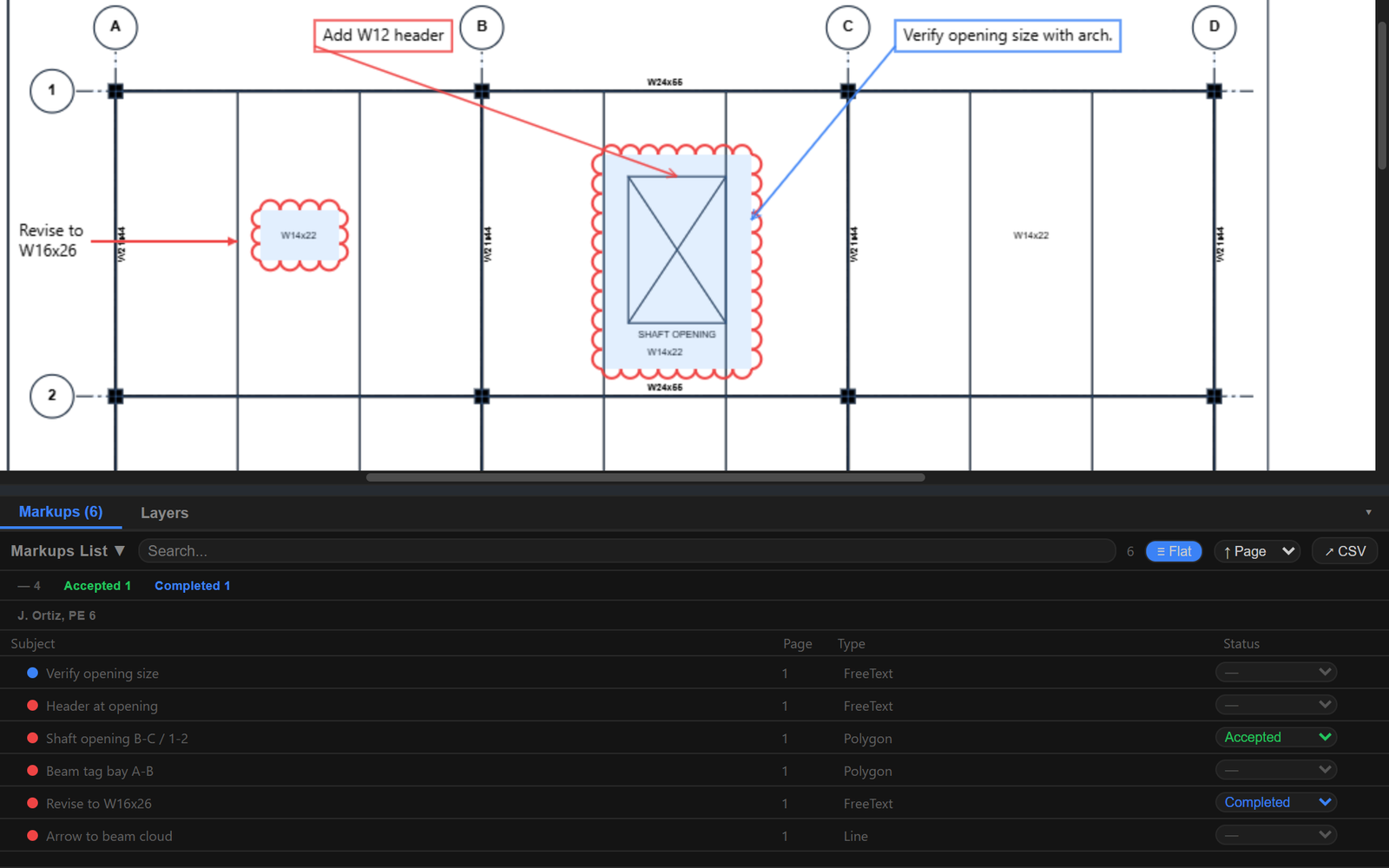
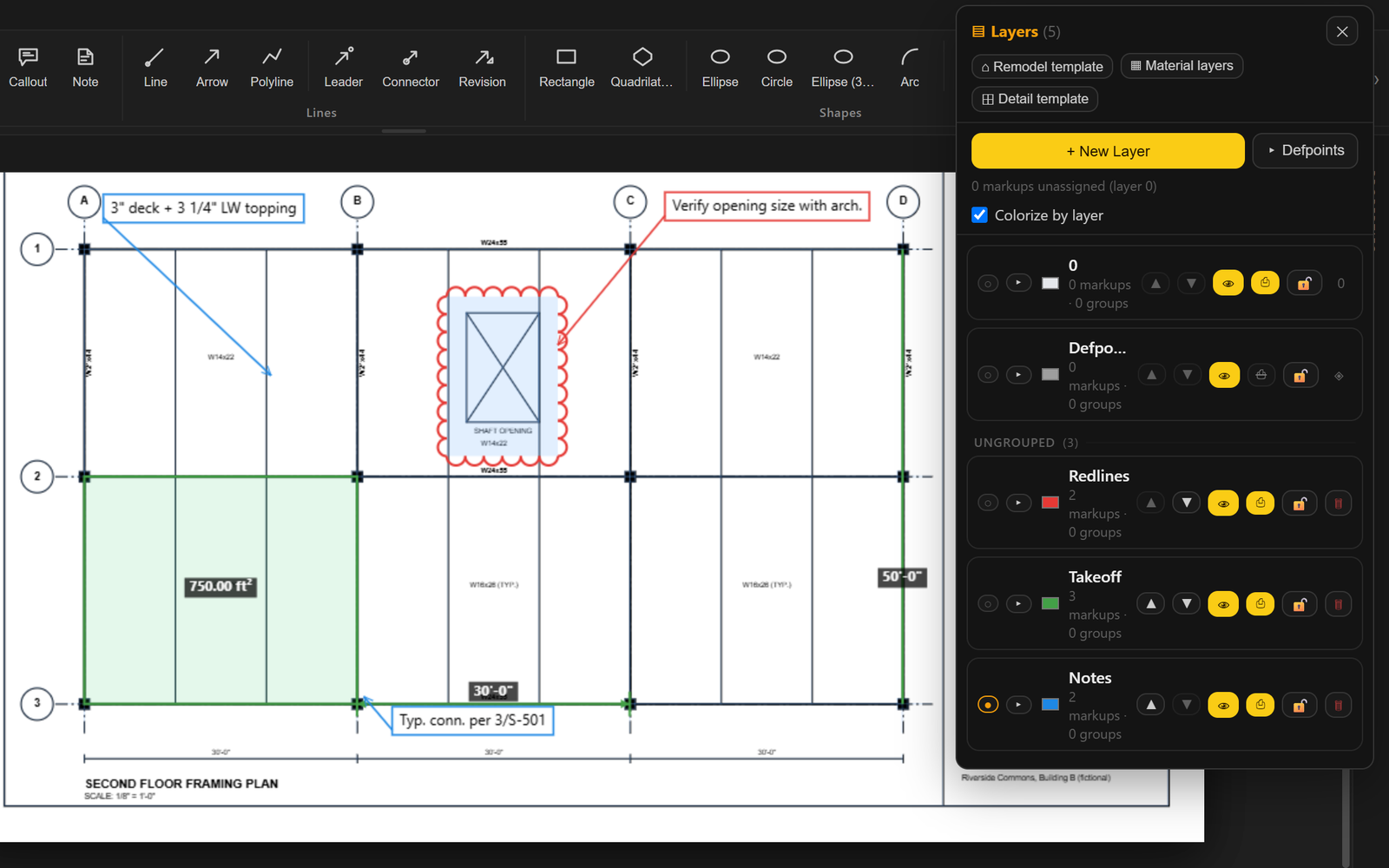
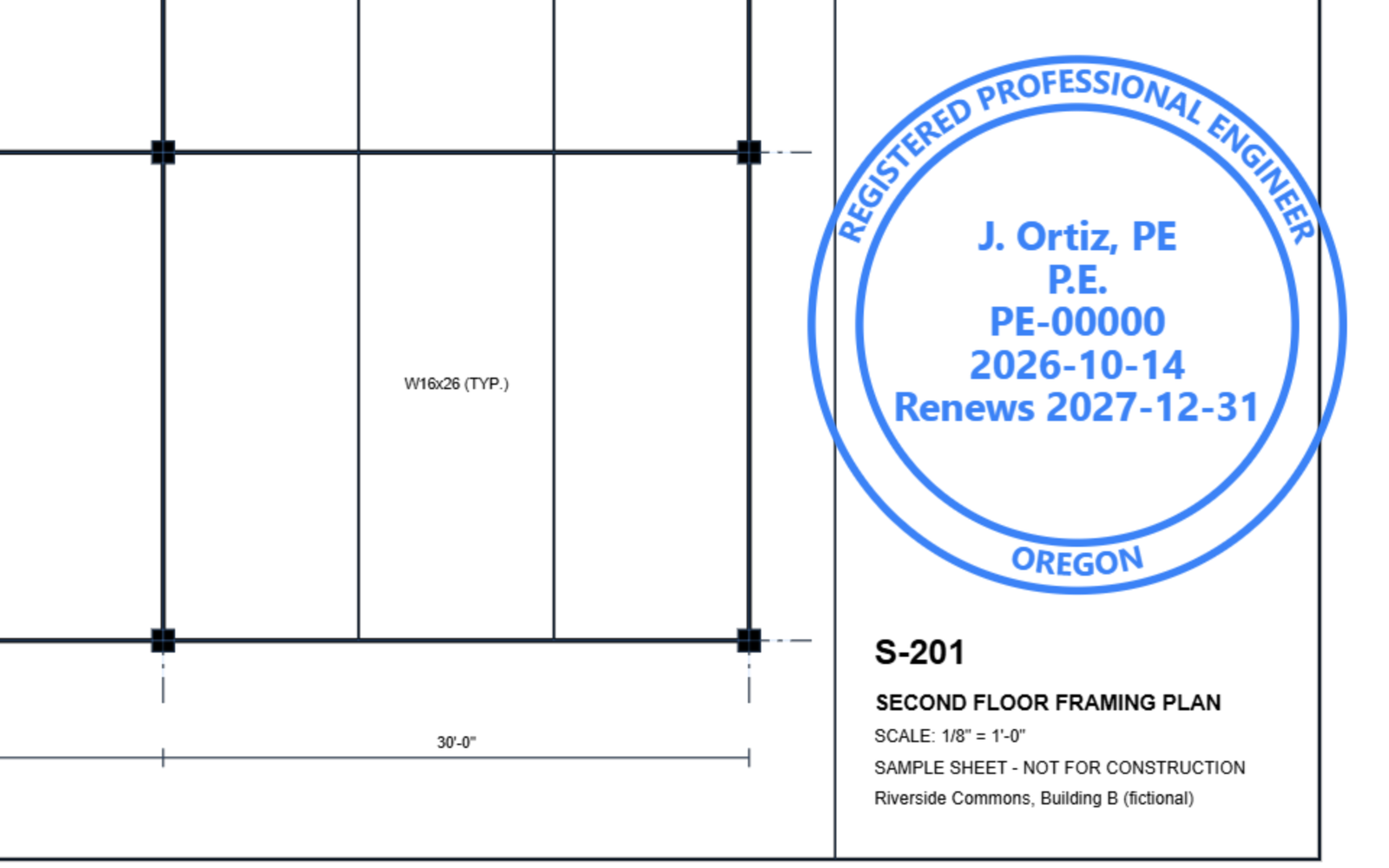
MarkupClaw is the host. Separate programs plug in, each with one job, and each page says what state it is really in. See all plugins.
A good, cheap PDF editor for the markups people do every day, with the smart parts offered as opt-in plugins, never as a lock on your own files.
I'm a structural engineer and the only programmer on MarkupClaw. My work is workflows: engineering workflows by day, and the LLM programming that makes them faster. I like to research, try different tools and play with data; it's a big part of why I like being an engineer.
MarkupClaw was born out of the annoyance of finding good, cheap PDF software for the basic markups I do every day, at work and at home. I communicate with a lot of pictures, and a tool that does that alongside an LLM matters.
MarkupClaw is written in Rust. Working fast and breaking things, then fixing them in the next release; the release notes below show the pace. It's careful engineering, applied.
Plugins in progress: PDFWhisperer (document review), Revit Whisperer (the Revit round-trip), DetailClaw (the detail library) and StructuralClaw (structural calculations), plus a Stamp Maker for digital stamps.
MarkupClaw is a paid desktop tool for Windows, licensed per user. The first beta cohort is invited by hand: join the beta list and you get an invitation, founding pricing and the release notes.